Best Android TV box for IPTV in 2026
 By Yanis Moreau, IPTV & Streaming Editor Last updated
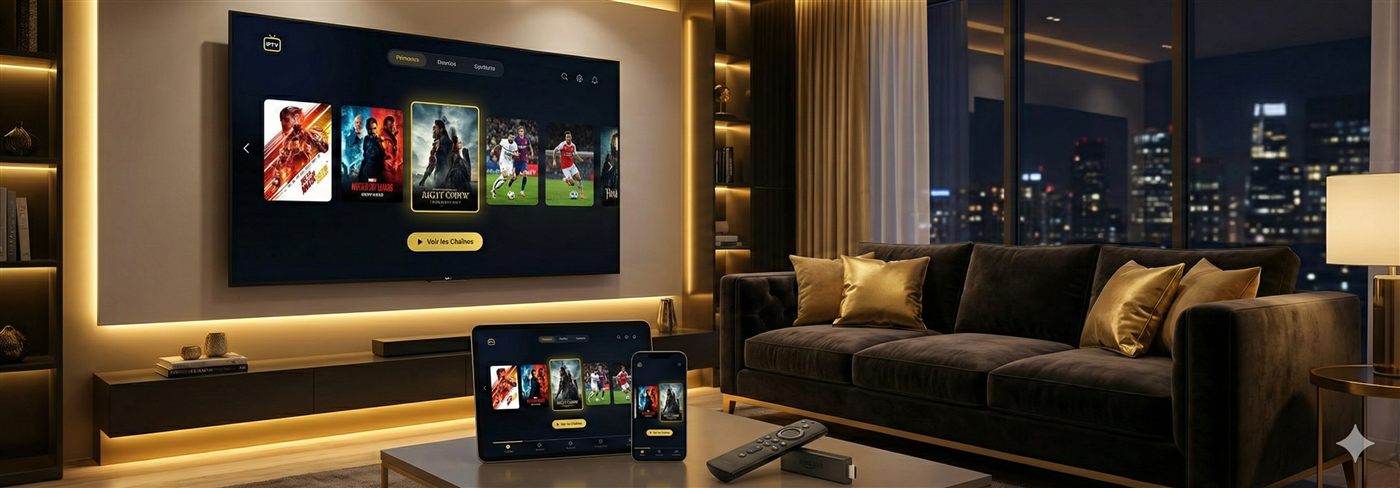
Short answer: the best Android TV box for IPTV in 2026 is a certified Android TV / Google TV box in the €40–70 range with an Ethernet port and at least 2 GB of RAM. That combination plays 4K IPTV without stutter and runs the two best players — TiviMate and IPTV Smarters — natively from the Play Store. The Nvidia Shield is the premium option, the Fire Stick 4K the budget one. Below: the specs that actually matter, the picks by budget, and the two traps that waste people's money.
- Best value: a certified Android TV / Google TV box, €40–70, with Ethernet + 2 GB RAM.
- Nvidia Shield = premium; Fire Stick 4K = cheap; preloaded "lifetime" boxes = avoid.
- The box doesn't come with channels — the subscription does. Buy them separately.
The 60-second buying rules
| Rule | Why it matters |
|---|---|
| Ethernet port first | A wired connection removes the #1 cause of IPTV buffering — Wi-Fi drop-outs |
| 2 GB RAM minimum | Keeps TiviMate's guide and channel zapping instant; 1 GB boxes lag within months |
| Certified Android TV / Google TV | Real Play Store, real updates; uncertified AOSP boxes lose app support |
| 4K + HEVC (H.265) decoding | Most 4K IPTV streams use HEVC; without hardware decoding they stutter |
| Never buy "preloaded IPTV" | Bundled lifetime services die in weeks and the hardware is usually junk |
What actually matters in an IPTV box (and what doesn't)
Marketing pages for Android boxes list a dozen specs. For IPTV specifically, only four move the needle — and the most important one isn't inside the box at all.
1. The connection: Ethernet beats everything
Live TV is unforgiving: it needs a steady stream of data every second, not a fast average. Wi-Fi delivers fast averages with micro-drop-outs — which is exactly the pattern that produces the freeze during a counter-attack. A box with a wired Ethernet port sidesteps the whole problem. If wiring is impossible, you want a box with a modern dual-band (5 GHz) radio, positioned with a clear line to the router — our router settings guide covers the rest.
2. RAM: 2 GB is the floor, 4 GB is comfortable
An IPTV player holding a 20,000-channel playlist plus a 7-day programme guide is heavier than it looks. On 1 GB boxes, the guide repaints slowly and channel zapping develops a lag that gets worse as the app cache grows. 2 GB runs everything acceptably; 3–4 GB stays snappy for years and survives having a couple of other apps open.
3. Certified Android TV vs "AOSP" boxes
This is the spec most buyers miss. The cheap boxes flooding marketplaces run generic open-source Android (AOSP) with a fake or sideloaded Play Store. They work on day one, then rot: no security updates, apps refuse to install, DRM-dependent features fail. A certified Android TV or Google TV device (the box will advertise the official branding, with Netflix/YouTube preinstalled legally) gets updates and full app compatibility. The €15 you save on an uncertified box is the most expensive €15 in this market.
4. Video decoding: HEVC and AV1
Most 4K IPTV streams are compressed with HEVC (H.265); newer services are moving to AV1. Any current-generation certified box decodes HEVC in hardware. If you're buying for the long term, AV1 support (present in newer chips) is a nice future-proof, not a requirement.
What doesn't matter much
- CPU benchmark scores — decoding is done by dedicated hardware, not the CPU; a "faster" chip mostly speeds up menus.
- "8K support" — no IPTV service streams 8K; it's a sticker.
- Huge storage — IPTV apps are small; 8–16 GB is plenty unless you also sideload games.
- RGB gamer lighting — correlates strongly with the uncertified junk category.
Best IPTV box by budget: our 2026 picks
| Tier | Pick | Typical price | Why this one | Trade-off |
|---|---|---|---|---|
| Budget | Amazon Fire TV Stick 4K | €35–60 | Cheapest reliable 4K device; runs all major players; huge support base | No Ethernet without an adapter; Amazon-flavoured UI |
| Mid-range | Certified Google TV box with Ethernet (e.g. onn. 4K Pro–class, Chromecast-successor boxes) | €40–70 | Wired port + 2–3 GB RAM + clean Google TV; the sweet spot for IPTV | Nothing significant — this tier is the recommendation |
| Premium | Nvidia Shield TV / Shield Pro | €150–220 | Fastest UI, best upscaling of HD channels on a 4K TV, gigabit Ethernet, years of updates | Pays for polish, not for better streams |
| Dedicated IPTV hardware | Formuler Z-series / MAG box | €90–150 | Built around the TV-guide experience; loved by heavy live-TV households | Less flexible as a general streamer — see our Formuler and MAG guides |
We name device classes rather than pushing one shop link — any certified box meeting the spec rules above performs the same for IPTV. We sell subscriptions, not hardware, so we have no margin riding on which box you pick.
Fire Stick vs Android TV box: which should you buy?
The most common question we get on WhatsApp, and it has a clean answer:
| Fire Stick 4K | Android TV box | |
|---|---|---|
| Price | €35–60 | €40–70 (mid-range) |
| Ethernet | Only via adapter (~€15) | Usually built in |
| RAM | 1.5–2 GB | 2–4 GB |
| App store | Amazon Appstore (TiviMate needs sideloading) | Full Google Play Store |
| Best for | Bedrooms, travel, first IPTV setup | Main living-room TV, sport-heavy households |
Rule of thumb: main TV where the big matches are watched → Android box with Ethernet. Second TV, holiday home, or testing IPTV for the first time → Fire Stick. Setup guides for both: IPTV on Android TV box and IPTV on Fire Stick.
The "preloaded IPTV box" trap
Marketplaces are full of boxes advertised as "fully loaded — 15,000 channels for life, no subscription ever". Understand what's actually being sold: an uncertified AOSP box (see rule 3 above) with someone's reseller playlist installed. The economics cannot work — nobody streams thousands of channels to you "for life" for a one-off €80 — so the playlist dies when the seller's credit runs out, typically within weeks. Then you own a €80 box that would have cost €30 clean, with no service and no support. Every red flag on our IPTV scams checklist applies. Buy hardware and service separately: a clean mainstream box, plus a subscription from a provider who confirms your channels before you pay.
Setting up IPTV on your new box
Whatever you buy, the setup is the same three steps and takes about ten minutes:
- Install a player — TiviMate (best guide) or IPTV Smarters Pro (easiest) from the Play Store.
- Enter your subscription — an Xtream Codes login or M3U link; both are standard and both work with our plans. Moving from another device? Transfer it in 5 minutes.
- Let the channels and TV guide load, wire the Ethernet if you have it, done.
Full walkthrough with screenshots-level detail: install IPTV on an Android TV box. Not sure which player suits you? See the best IPTV app comparison.
Five buying mistakes to avoid
- Buying by channel count on the listing — the box doesn't come with channels; the subscription does.
- Choosing 1 GB RAM to save €10 — it will crawl within half a year of app updates.
- Ignoring the Ethernet port — then blaming the provider for Wi-Fi buffering. (It's usually the Wi-Fi — see the 7 causes of buffering, ranked.)
- Falling for "lifetime IPTV included" — covered above; it's the market's oldest trick.
- Overbuying — a €200 box streams the same pixels as a €50 one; pay premium only for premium convenience.
Do you even need a box? (Smart TV check)
If your TV already runs Android TV or Google TV (Sony, Philips, TCL, Hisense and others), install the player app directly and spend the box money on a longer subscription instead. Samsung (Tizen) and LG (webOS) TVs run IPTV natively too — see the Samsung guide and LG guide — though their app choice is narrower, which is why sport-heavy households often still add a box for TiviMate. Consoles work in a pinch as well: IPTV on Xbox & PlayStation.
The IPTV hardware shopping list
Boiled down, the entire "IPTV hardware" question is three lines, and only one of them is the box:
- A screen with HDMI — any TV this decade. If it already runs Android TV, Samsung or LG, you may need no box at all.
- A player device — a certified Android box (this page) or a Fire TV Stick, per the spec rules above.
- A stable connection — an Ethernet cable (~€5) does more for IPTV than €100 of extra box; that's the whole secret.
That's it — no dish, no aerial, no proprietary receiver. The subscription is the only recurring cost, and if your priority is live sport, size the whole setup around the match-night criteria rather than the channel-count sticker.
Frequently asked questions
What is the best Android TV box for IPTV in 2026?
For most people, a certified Android TV / Google TV box in the €40–70 range with an Ethernet port and at least 2 GB of RAM is the sweet spot — it plays 4K IPTV smoothly and runs TiviMate and IPTV Smarters natively. The Nvidia Shield remains the premium pick; the Fire Stick 4K is the best cheap alternative.
Do I need an expensive box for IPTV?
No. IPTV is not demanding: a €40–60 device streams 4K perfectly if the connection is stable. Past 2 GB RAM and a modern decoder, extra money buys convenience (faster menus, more storage, better remote), not better streams.
Is a Fire Stick or an Android TV box better for IPTV?
A Fire Stick 4K is cheaper and simpler; a full Android TV box adds an Ethernet port, more RAM and the full Play Store. If your box will sit far from the router or you watch a lot of live sport, the Ethernet port on a proper box is worth the difference.
What specs matter most in an IPTV box?
In order: a wired Ethernet port (or strong 5 GHz Wi-Fi), 2 GB+ RAM, 4K/HEVC hardware decoding, and certified Android TV or Google TV. CPU speed beyond that barely changes IPTV playback.
Should I buy a box that comes preloaded with IPTV?
No. Boxes sold "fully loaded" with lifetime IPTV are the classic scam in this market: the service dies within weeks, there is no support, and the hardware is usually uncertified junk. Buy a clean mainstream device and pair it with a subscription from a provider who confirms your channels first.
How much internet speed does an IPTV box need?
About 10 Mbps per HD stream and 25 Mbps per 4K stream, sustained. Stability matters more than headline speed — a steady 30 Mbps line outperforms a spiky 200 Mbps one for live TV.
Can I use IPTV on the Android TV built into my television?
Yes — if your TV runs Android TV or Google TV, you can install the same apps directly and skip the box entirely. A separate box only wins if the TV is old, slow, or its store is restricted.
Does an Android box work with any IPTV subscription?
Any subscription that gives you an Xtream Codes login or M3U link — the standard formats — works on any Android box. Our service uses both, and we confirm your channels before you pay.
The best Android TV box for IPTV is the boring, certified €40–70 one with an Ethernet port and 2 GB of RAM — not the €200 flagship, and never the "lifetime-loaded" bargain. Spend the saved money on a longer subscription, wire the box, and the picture takes care of itself. Tell us the box you're eyeing and we'll confirm your channels before you pay.