How to install IPTV on Android TV & Android Box
 By Yanis Moreau, IPTV & Streaming Editor Last updated
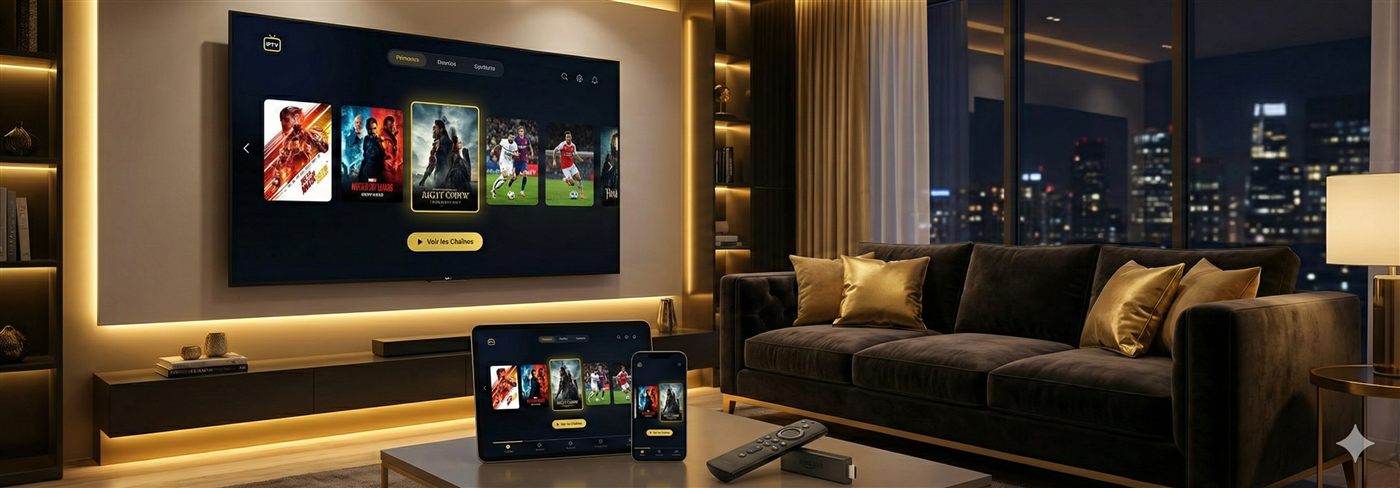
Android TV and Android boxes are the easiest devices for IPTV: install a player like TiviMate or IPTV Smarters Pro from the Google Play Store, add your subscription with an Xtream Codes login or M3U link, and your channels plus the TV guide load in a couple of minutes. This works on Android TV boxes, Nvidia Shield, Chromecast with Google TV, and Sony/Philips/TCL Android TVs. Here are the exact steps, the best apps, and the fixes for common problems.
What you need
- An Android TV or Android TV box (Google TV, Nvidia Shield, MECOOL, and similar all work).
- A stable connection — roughly 10 Mbps for HD, 25 Mbps for 4K. Boxes with an Ethernet port give the steadiest picture.
- Your subscription details: Xtream Codes (username, password, server URL) or an M3U playlist link.
Step-by-step: IPTV on Android TV
- Open the Google Play Store on your device.
- Search for and install a player (see recommendations below). TiviMate and IPTV Smarters are both free to start.
- Open the app and choose Add playlist → Xtream Codes or M3U URL.
- Enter your credentials. Tip: a Bluetooth remote with a keyboard, or the Google TV phone app, makes typing far easier.
- Wait for the channel list and EPG to download.
- Set your favourites and, in TiviMate, enable the on-screen guide layout you prefer.
TiviMate vs IPTV Smarters on Android TV
The two apps that matter on this platform, honestly compared:
| TiviMate | IPTV Smarters Pro | |
|---|---|---|
| TV guide (EPG) | Best in the category — fast, dense, customisable | Clear and simple |
| Recording | Yes (Premium) | Limited |
| Multi-view (4 streams) | Yes (Premium) | No |
| Learning curve | 15 minutes of settings pay off forever | None — sign in and watch |
| Also on your phone/laptop | No (Android TV focus) | Yes — same app everywhere |
| Price | Free / small Premium fee | Free |
Verdict: main living-room box → TiviMate (setup: TiviMate guide). Simplest start or mixed devices → Smarters (Smarters guide). Both free to try; the full field is in the best IPTV app comparison.
Other Android TV players worth knowing
- XCIPTV — feature-rich alternative with solid catch-up support.
- Sparkle TV — lightweight and fast; the rescue app for underpowered 1 GB boxes.
Which box are you installing on? (It matters)
| Your device | Experience | Note |
|---|---|---|
| Nvidia Shield | Flawless | Gigabit Ethernet — wire it and forget buffering |
| Certified Google TV box (€40–70) | Excellent | The sweet spot — see the box buying guide |
| Chromecast with Google TV | Very good | Wi-Fi only — 5 GHz or a USB-C Ethernet adapter |
| Sony / Philips / TCL Android TV | Very good | Same steps, no box needed |
| Cheap AOSP box (no real Play Store) | Workable | Sideload (below), but plan its replacement |
Sideloading on a box without Play Store
Some cheap Android boxes ship without a full Play Store. In that case, install the Downloader app (or use a USB stick) to sideload the player’s APK, then add your playlist the same way. If you’re unsure, message us — we’ll tell you the safest method for your exact box.
Get the steadiest picture
- Use Ethernet where the box has a port — it beats Wi-Fi for live sport at peak hours.
- Raise the app buffer slightly in settings if you see occasional stutter.
- Full checklist in our IPTV buffering guide.
Troubleshooting
- Login rejected: check the server URL and credentials for typos; they’re case-sensitive.
- App crashes on a cheap box: try a lighter player like Sparkle TV, or clear the app cache.
- Guide is empty: let the EPG finish downloading, then restart the app.
- Buffering only in the evening: that’s peak-hour load — a wired connection and a proper provider fix it.
Frequently asked questions
Is TiviMate free?
TiviMate has a free tier that is enough to watch one playlist. TiviMate Premium (small yearly fee) adds recording, multi-view and multiple playlists. Both tiers work with our subscription.
TiviMate or IPTV Smarters — which should I install on my box?
TiviMate if the box is your main TV and you care about the guide, recording or sport (its EPG is the best in the category). Smarters if you want the simplest possible setup or use the same app on your phone and laptop. Installing both costs nothing — keep the one that fits.
Does this work on Nvidia Shield and Chromecast with Google TV?
Yes — both run certified Android TV / Google TV with the full Play Store, so the steps are identical. The Shield is the smoothest IPTV device we know; the Chromecast needs its Wi-Fi treated kindly or a USB-Ethernet adapter.
My Android box has no Play Store — can I still use IPTV?
Usually yes: sideload the player APK via the Downloader app or a USB stick. But a box without a real Play Store is typically an uncertified AOSP box — fine short-term, frustrating long-term. Our buying guide explains what to get instead.
Why does my cheap box lag with a big channel list?
RAM. A 20,000-channel playlist plus a 7-day guide is heavy; 1 GB boxes struggle and get worse as caches grow. A lighter player (Sparkle TV) helps, but the durable fix is a box with 2 GB+.
Should I connect the box by Ethernet or Wi-Fi?
Ethernet, always, if the port exists — it removes the single biggest cause of buffering. On Wi-Fi, use the 5 GHz band and keep line-of-sight to the router.
Can I use the same login on my box and my phone?
Yes — your Xtream Codes login works in any player on any device, within your plan's simultaneous-connection limit. Box on TiviMate, phone on Smarters, one subscription.
Do you help with setup?
Yes — free, live on WhatsApp, and we confirm the channels for your country before you pay.
With the app ready, just connect a reliable IPTV subscription and your login. Message us to get started.