IPTV with catch-up TV and EPG: how it works
 By Yanis Moreau, IPTV & Streaming Editor Last updated
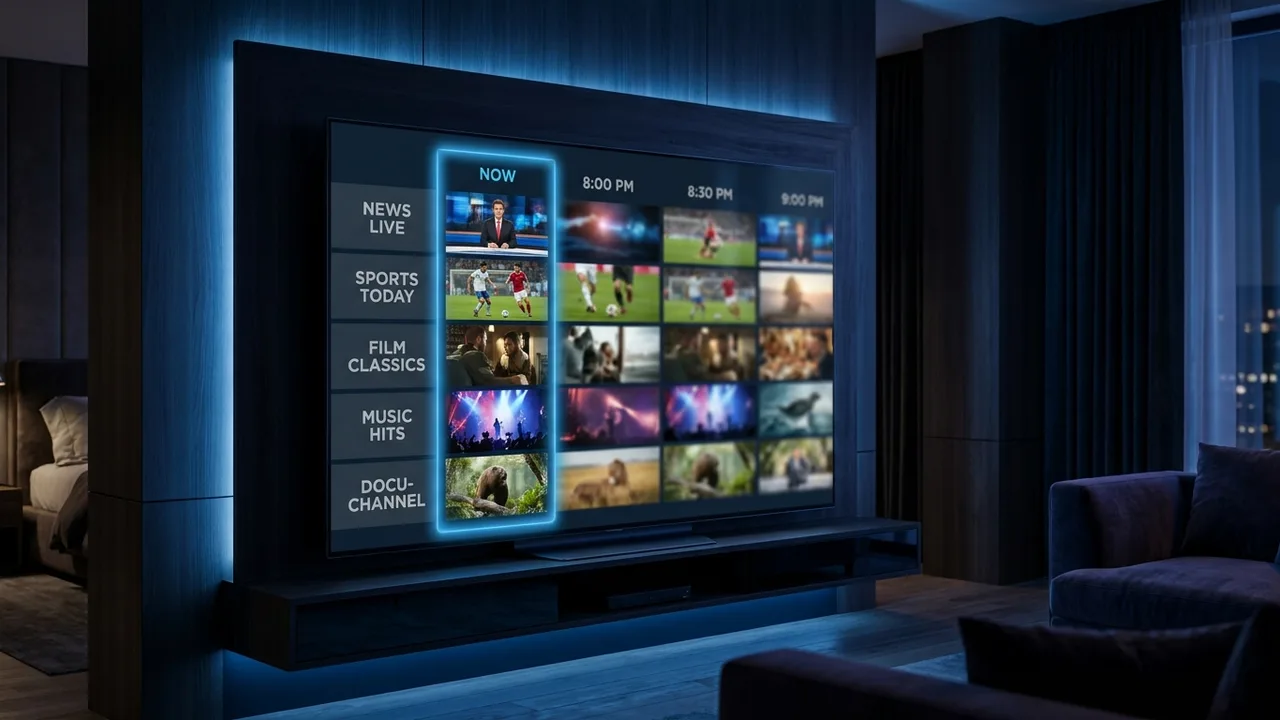
Short answer: IPTV with catch-up lets you replay programmes from the last 1–7 days directly from the TV guide (EPG) — no recording, no planning ahead. The EPG is the on-screen schedule; catch-up is the time machine bolted onto it. Both are included in every plan here, on every device. Here's exactly how they work, which apps do them best, and why catch-up occasionally fails (with fixes).
- Catch-up = replay the last 1–7 days from the guide; no recording, no setup.
- The window is per-channel — big broadcasters keep 7 days, niche channels none.
- EPG + catch-up + VOD are included in every plan; TiviMate handles replay best.
EPG, catch-up, VOD — the three-layer picture
| Layer | What it is | Time window | Included? |
|---|---|---|---|
| EPG (TV guide) | On-screen schedule: what's on now, next, and days ahead | Now → ~7 days forward | Yes, every plan |
| Catch-up / timeshift | Replay of already-aired programmes, straight from the guide | 1–7 days back (channel-dependent) | Yes, on supported channels |
| VOD library | Permanent on-demand films & series — 60,000+ titles | Permanent | Yes, every plan |
Think of it as one timeline: the EPG shows forward, catch-up reaches backward, and VOD sits outside time altogether. Together they're why a good IPTV setup replaces both the cable box and the recorder.
How catch-up actually works
On supported channels, the provider's servers keep a rolling recording of everything the channel airs. When you open the guide and scroll backwards, programmes that can be replayed are marked (an icon or highlight, depending on the app). Select one and it streams like any on-demand title — with pause, rewind and fast-forward. Three practical consequences:
- You don't schedule anything. Unlike a DVR, there's nothing to set up in advance — if the channel supports catch-up, the last days are simply there.
- The window is per-channel. A big national broadcaster might keep 7 days; a niche channel 24 hours; many international channels none. This is a channel property, not an app setting.
- Match replays work brilliantly. Missed the 9 pm game? Start it from minute one at 11 pm and skip the half-time analysis. (Avoiding the score until then is your problem — we can't help with that.)
The EPG: more useful than it looks
A well-fed EPG turns a 20,000-channel playlist from chaos into television. What a good one gives you:
- Now/next at a glance — scroll channels without leaving the current stream.
- Multi-day forward view — find the weekend's fixtures on Tuesday and set reminders (TiviMate) or plan recordings.
- Search across the schedule — type a programme name instead of scrolling channels.
- Catch-up entry point — the backward scroll described above; the guide is where replay lives.
EPG data comes as an XMLTV feed alongside your subscription. With an Xtream Codes login the guide usually configures itself; with a bare M3U you sometimes add the EPG URL manually — one field, one paste, covered in our EPG guide.
Best apps for catch-up and EPG
| App | Catch-up experience | EPG quality | Platforms |
|---|---|---|---|
| TiviMate | Best: replay icons inline in the guide, seamless | Best in class | Android / Fire Stick |
| IPTV Smarters Pro | Good: dedicated catch-up section per channel | Clear and simple | Almost everything |
| iPlayTV / Smarters Lite | Solid on Apple TV | Good | tvOS / iOS |
| MAG / Formuler portal | Native, remote-friendly | Built around the guide | Dedicated boxes |
Full comparisons in the best IPTV app guide; per-device setup in the guides directory.
When catch-up fails: the four usual causes
- The channel simply doesn't support it. Most common. Check a major national channel first — if replay works there, the service is fine and the missing channel just has no window.
- The EPG isn't loaded. Catch-up navigates through the guide; an empty guide means no replay entry point. First sync takes a few minutes on a new install — the EPG fix guide covers stuck cases.
- Time-zone offset. If every programme seems shifted by an hour, replays start in the wrong place. Set the EPG offset in the app's settings to match your zone.
- The app hides it. Some players need catch-up enabled per playlist (TiviMate: playlist settings → catch-up). Two taps.
None of these are your connection's fault — but if live channels are also stuttering, that's a different problem: start with the 7 causes of buffering.
Setting it up: two minutes, honestly
- Install a player from the table above — Fire Stick, Samsung, Apple TV guides here.
- Add your subscription (Xtream Codes login — the EPG comes along automatically).
- Wait one guide-sync, then scroll backwards on a supported channel and press play on yesterday.
Before you buy, send us the channels you'd want replay on — we confirm each one's catch-up window along with the channels themselves, the same confirm-before-payment check we run on every order.
Frequently asked questions
What is catch-up on IPTV?
Catch-up (also called timeshift or replay) lets you play programmes that already aired — typically from the last 1 to 7 days depending on the channel — straight from the TV guide, without having recorded anything yourself.
What does EPG mean in IPTV?
EPG stands for Electronic Programme Guide: the on-screen schedule showing what is on now and next for every live channel, usually several days ahead. It is how you find fixtures, plan evenings and launch catch-up.
Is catch-up available on every channel?
No — catch-up depends on the channel. Major national and sports channels commonly carry 1–7 days of replay; smaller international channels often have none. Tell us the channels you care about and we confirm their catch-up window before you pay.
Which IPTV app is best for catch-up?
TiviMate handles catch-up most elegantly on Android and Fire Stick — replayable shows are marked right in the guide. IPTV Smarters Pro supports it across more platforms with a simpler interface. Both use the same subscription login.
Why is my EPG empty or wrong?
Usually one of three things: the guide has not finished its first sync (give it a few minutes), the app's EPG source URL is missing, or a time-zone offset is shifting every programme by an hour. Our fix-the-EPG guide walks through all three in order.
Can I pause and rewind live TV on IPTV?
On channels with catch-up/timeshift support, yes — you can pause live TV and rewind, including restarting a match from the beginning while it is still being played.
Does catch-up cost extra?
No. EPG, catch-up on supported channels, and the on-demand library are included in every plan at no additional cost.
Is catch-up the same as VOD?
No. Catch-up is a rolling window of recently-aired TV organised by channel and date. VOD (video on demand) is a permanent library of films and series. IPTV plans here include both.
A full EPG and working catch-up are what separate real IPTV from a raw channel list: the guide shows a week forward, catch-up reaches a week back, and VOD sits outside time — all included, on every device. TiviMate does it most elegantly. Send us the channels you want replay on and we confirm each one's window before you pay.